Telegram is where a lot of deals now start. A prospect taps a link in an ad, lands in a chat, asks one question — and from that moment the conversation lives inside someone's phone. It is not in your pipeline, your manager cannot see it, and when the agent who owned it goes on holiday, the lead quietly goes cold.
A CRM with Telegram integration fixes that by pulling those chats into the same system where your deals, contacts and follow-ups already live. This guide explains how Telegram CRM integration actually works under the hood, what Telegram's API will and will not let you do, how the main approaches compare, and how to connect a channel yourself in about ten minutes.
What Telegram CRM integration actually means
The phrase gets used for three fairly different things. Knowing which one a vendor is selling you matters, because they have very different limits.
Bot API integration (the standard approach)
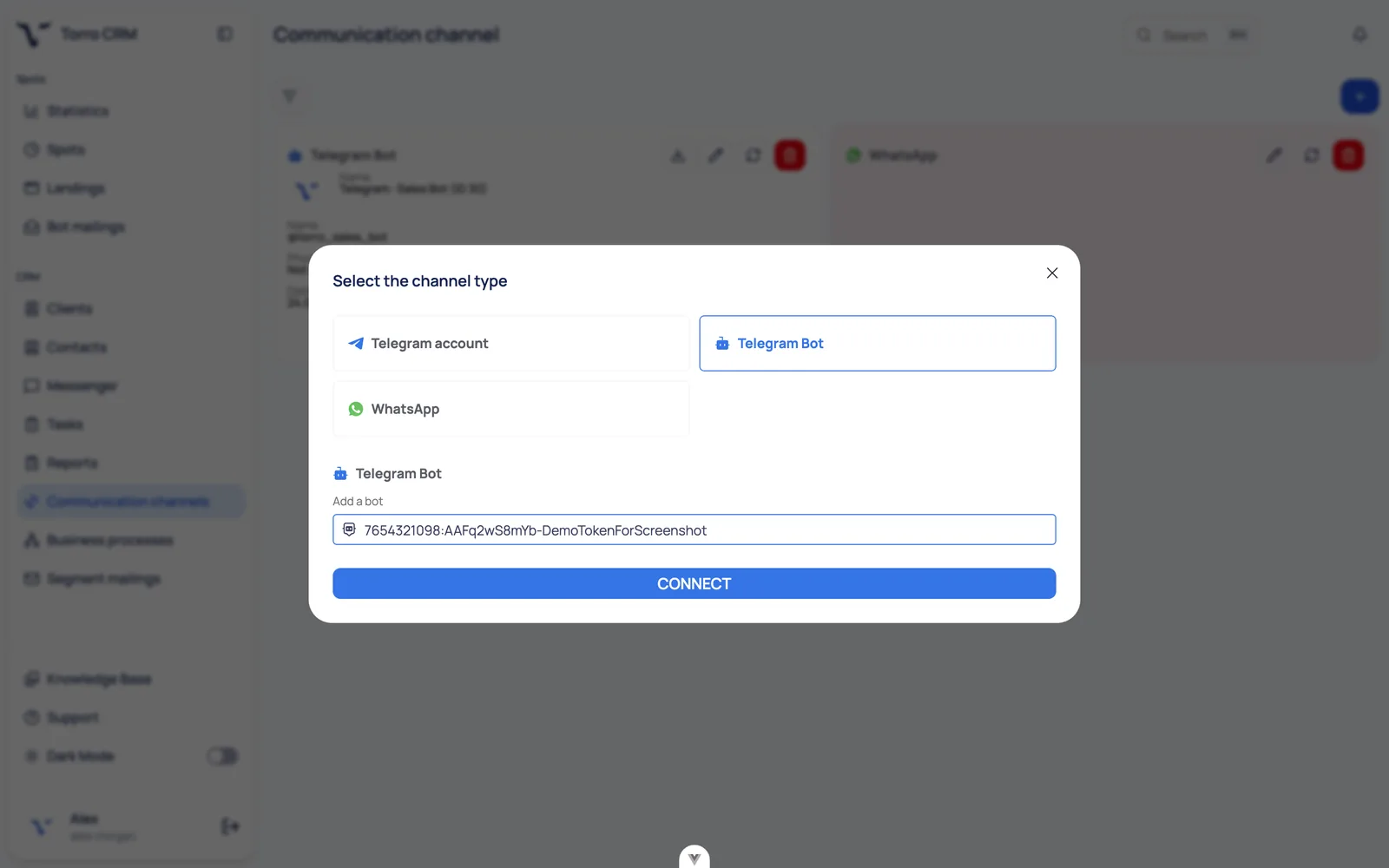
You create a bot with Telegram's @BotFather, get a token, and paste it into your CRM. The CRM then talks to Telegram's official Bot API: every message a customer sends to your bot arrives in the CRM, and every reply an agent types goes back out through the bot.
This is the approach almost every serious platform uses. It is officially supported, it does not put your account at risk, and it scales to as many agents as you like — the bot is a shared identity, not a personal one.
Telegram Business: a bot connected to a personal account
In 2024 Telegram launched Telegram Business, a set of features for accounts that sell: business hours, a location, quick replies, greeting and away messages, chat tags, and — the interesting part for CRM — the ability to connect a bot to your personal account so it can read and answer messages sent to you directly.
That means conversations arriving at your own username, not just at your company bot, can be handled by software. Telegram's documentation notes that connecting a business bot does not itself require Premium, but the Telegram Business feature set is a Premium feature on the account side, only one business bot can be connected per account, and the user can pause or exclude individual chats. Support for this mode is still uneven across CRMs, so check before you buy if it matters to you.
Userbot and MTProto sessions: proceed with caution
Some tools log into a real Telegram account through the low-level MTProto protocol and drive it like a human. It gets you personal-account chats without Telegram Business, and it is what a lot of cheap personal account integration services are doing. It also means handing your session to a third party and running automation Telegram never designed for. Accounts do get limited or banned. If a vendor offers this, ask them directly what they are running and decide with your eyes open.
What Telegram's API lets you do, and what it doesn't
Most disappointment with Telegram CRM integration comes from expecting it to behave like email or WhatsApp. It doesn't.
Customers must message you first. Telegram does not hand out user phone numbers or IDs to businesses. Your CRM only gets a chat ID once a person has started your bot or written to your connected account. You cannot upload a list of phone numbers and start a Telegram conversation — practically speaking, there is no cold outreach on Telegram, only re-engagement of people who already talked to you.
But there is no 24-hour window either. This is the big advantage over WhatsApp, where reopening a conversation outside the customer service window means paying for an approved template. On Telegram, once someone has messaged you, you can keep talking. Follow-ups, order updates, still-interested nudges — all ordinary messages, no template approval, no per-conversation fee.
Rate limits are real. Telegram's bot FAQ sets out the numbers: avoid more than one message per second in a single chat, no more than 20 messages per minute in a group, and roughly 30 messages per second for bulk notifications unless you enable paid broadcasts. Push past that and you start getting 429 errors. A good CRM queues and throttles broadcasts for you; a weak one lets you fire a blast and silently drops half of it.
Deep links carry attribution. A t.me link to your bot can carry a start parameter, which means the CRM can know that this lead came from your Instagram bio, that campaign, or that landing page — without asking. This is one of the most underused features in Telegram CRM integration, and it is free.
Rich formats work. Inline buttons, files, group chats and payment links all come through the Bot API, so a Telegram conversation can carry a whole transaction rather than just text.
What to look for in a CRM with Telegram integration
Once you know the mechanics, evaluating vendors gets much easier. A checklist that actually separates them:
Shared inbox, not a personal one. Can five agents work the same Telegram queue, with assignment, internal notes and handover? Or does each conversation belong to whoever grabbed it first?
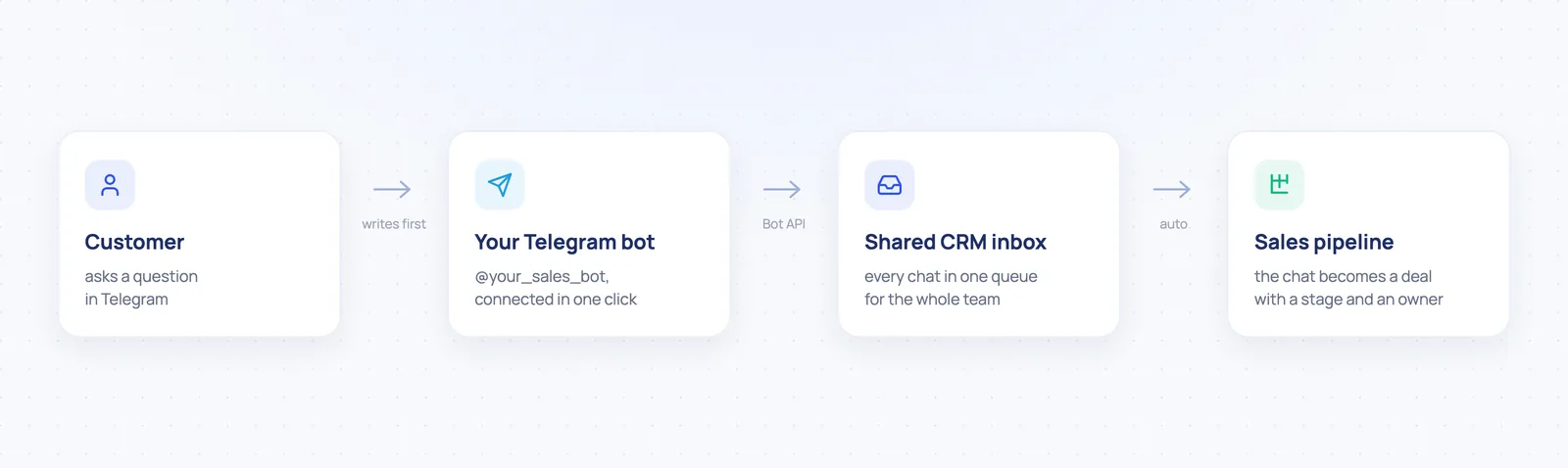
Chats become deals. A message thread should create or attach to a record in a pipeline, with a stage and an owner — otherwise you have a chat app with extra steps.
Other channels in the same inbox. Very few teams sell on Telegram alone. WhatsApp and Instagram usually sit next to it, and switching apps per channel is where context dies.
Automation a non-developer can edit. Routing, tagging, greeting and away messages, follow-up sequences. If every change needs an integration partner, it will not get changed.
AI that hands off cleanly. An AI agent covering nights and weekends is only useful if it knows when to stop and pass the chat to a person, and if you control when it steps in.
Broadcast throttling and opt-out handling, so you do not hit rate limits or annoy your list.
Mobile apps, because messenger sales is frequently done away from a desk.
Honest setup time. Connecting a bot token should take minutes. If onboarding is measured in weeks, that is a product decision, not a technical necessity.
Comparing the ways to connect Telegram to a CRM
There are five common routes, and they differ less in features than in who ends up owning the problems.
Approach | Best for | Watch out for |
|---|---|---|
Native Telegram channel in a messenger-first CRM | Sales and support teams whose main channel is messengers | Check that WhatsApp and Instagram live in the same inbox, not a separate one |
Telegram add-on for a classic CRM | Teams already committed to a big CRM they will not leave | Two vendors, two bills, and chat UX that is usually an afterthought |
No-code automation (Zapier, Make, n8n) | Simple one-way flows, such as new chat creates a lead record | It is a data pipe, not an inbox; agents still reply somewhere else and per-task pricing adds up |
Custom build on the Bot API | Unusual logic, strict compliance, or an in-house system | You now own rate limiting, retries, media storage and an on-call rota |
Userbot or MTProto service | Teams determined to work from a personal account | Account limitation or ban risk, and a third party holds a live session |
If you found this page searching for CRM-messaging Telegram integration specifically: that phrase usually turns up connector directories where a messaging tool and a CRM are wired together through Zapier. That works for simple triggers, but note what it is — a data pipe, not an inbox. Your agents will still answer in one tool while the record updates in another.
Which tools actually support Telegram
A short, honest starting list of platforms with a documented Telegram channel:
Chatwoot — open-source shared inbox; you connect a Telegram channel with a bot token. Self-hosting is free, but you operate it.
Bitrix24 — Telegram arrives through Open Channels inside a large all-in-one suite.
Kommo — a messenger-oriented pipeline CRM with a Telegram integration.
respond.io and SendPulse — omnichannel messaging platforms that also publish clear documentation on Telegram's limits.
Torro CRM — the platform this blog belongs to; details below.
Pricing and feature sets change constantly, so check each vendor's own page rather than trusting any comparison table, including this one.
How to set up Telegram CRM integration, step by step
This is the Bot API route, which is what most readers will use.
Open a chat with @BotFather in Telegram and send the /newbot command.
Name the bot and pick a username ending in bot. Use your brand — this name is what customers see.
Copy the token. It is a long string of digits and letters. Treat it as a password: anyone holding it can send messages as your bot.
Paste the token into your CRM's Telegram channel settings. In most messenger-first CRMs this is one screen and takes under a minute.
Set the bot's profile: photo, description, and the what-can-this-bot-do text. Customers judge legitimacy in about two seconds.
Configure routing before you go live — who receives new chats, what the greeting message says, what happens outside business hours.
Test the full loop yourself. Message the bot from a personal account, confirm the chat lands in the inbox, reply from the CRM, check that a deal card was created, and confirm the source parameter came through on a deep link.
Put your t.me link everywhere — site, Instagram bio, ads, email signature, invoices — with a different start parameter per placement, so attribution works from day one.
Common mistakes
Treating the bot as a chatbot only. The bot is a transport layer. Customers should be able to reach humans through it; automation is a layer on top, not a wall in front.
Automating the greeting and nothing else. A greeting message with no routing behind it just makes people wait faster.
Ignoring the first-contact rule. Teams build a Telegram broadcast plan, then discover they can only message people who already wrote in. Grow that list deliberately from day one.
Running Telegram in a different tool from WhatsApp. If agents keep two tabs open you get two sets of stats, duplicate contacts, and no reliable response-time number.
Skipping response-time measurement. Speed to first reply is the metric most closely tied to messenger conversion. If your CRM cannot show it per agent, you cannot manage it.
Where Torro CRM fits
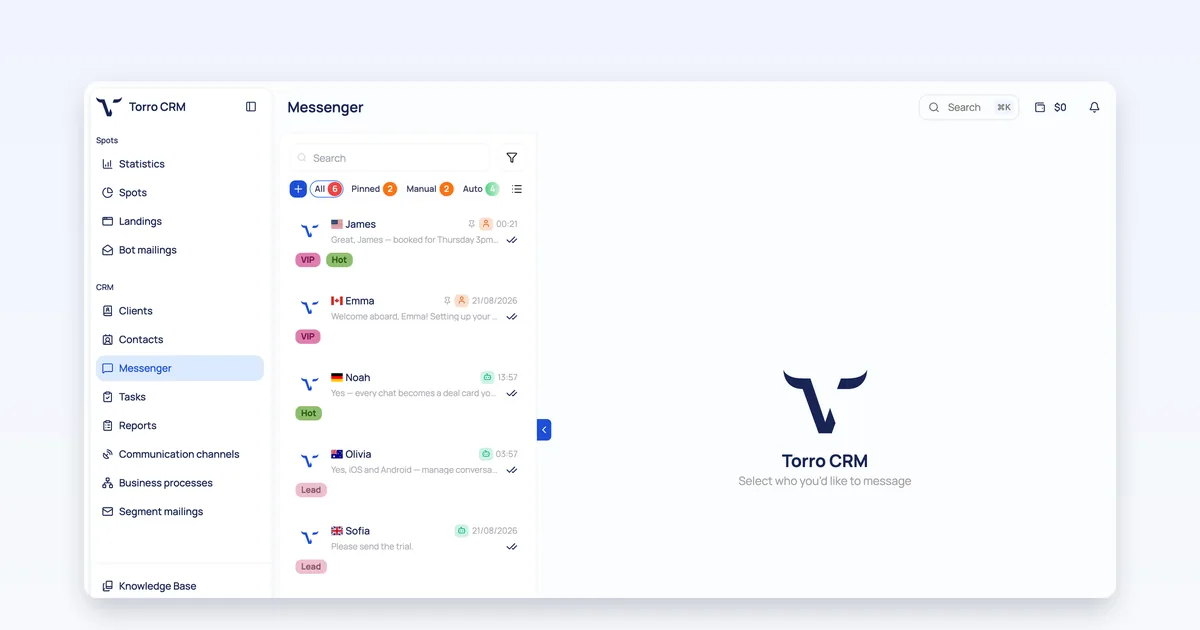
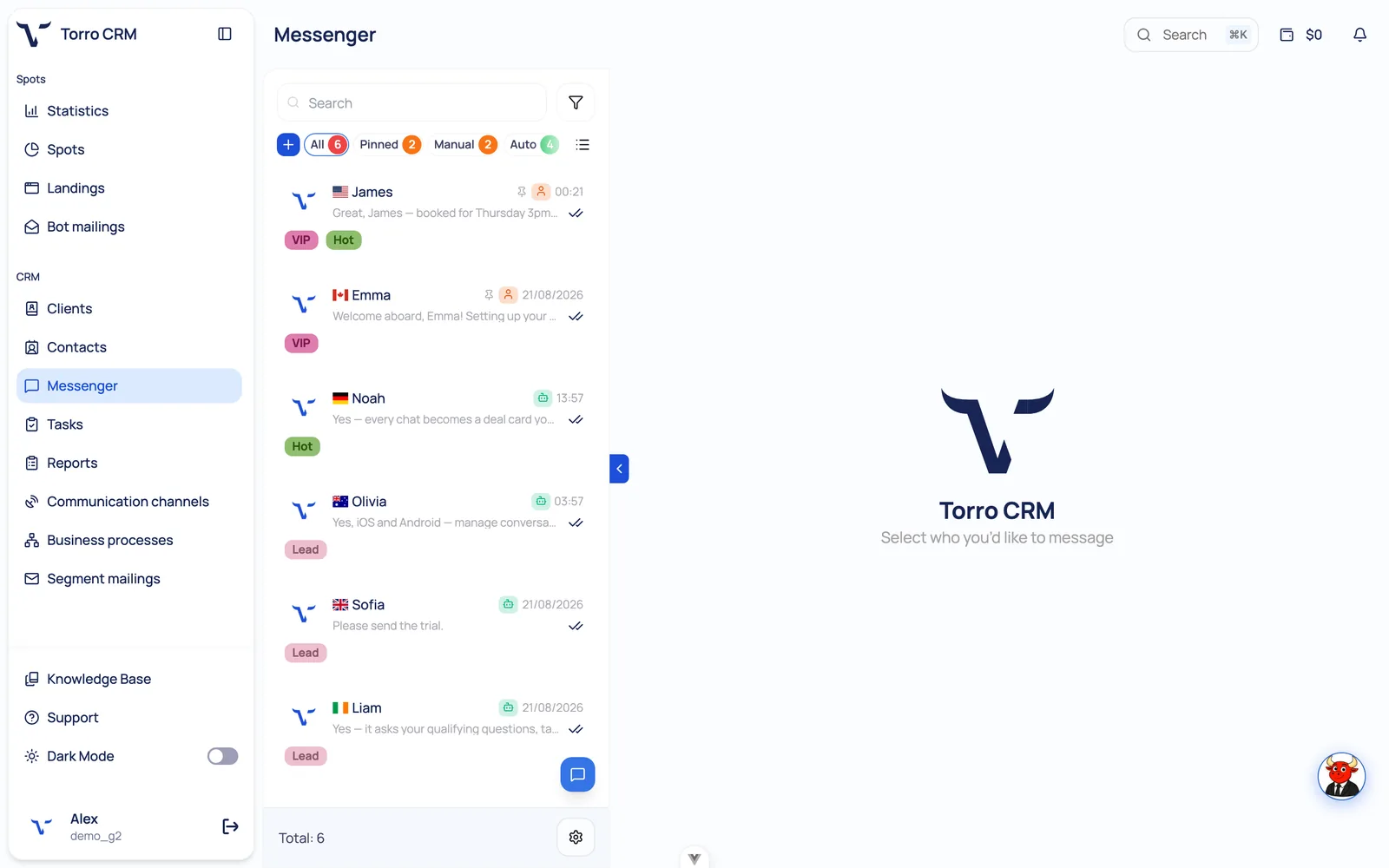
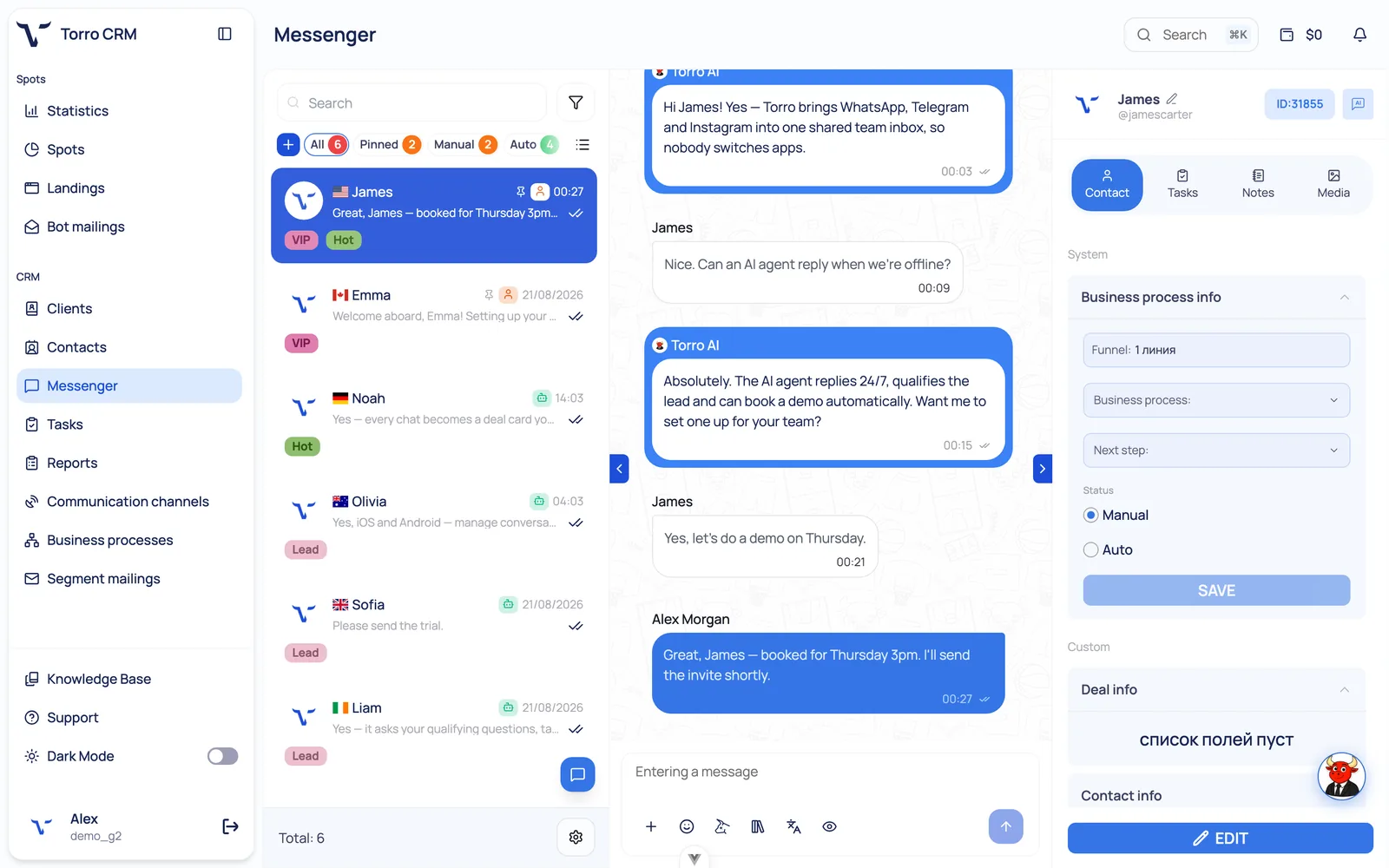
Torro CRM is a messenger-first CRM built for teams whose pipeline lives in chat. Telegram connects through a bot in about a minute, one click via @BotFather, and supports bots, group chats, inline buttons and payment links. Those conversations land in the same shared inbox as WhatsApp and Instagram, so an agent works one queue instead of three apps.
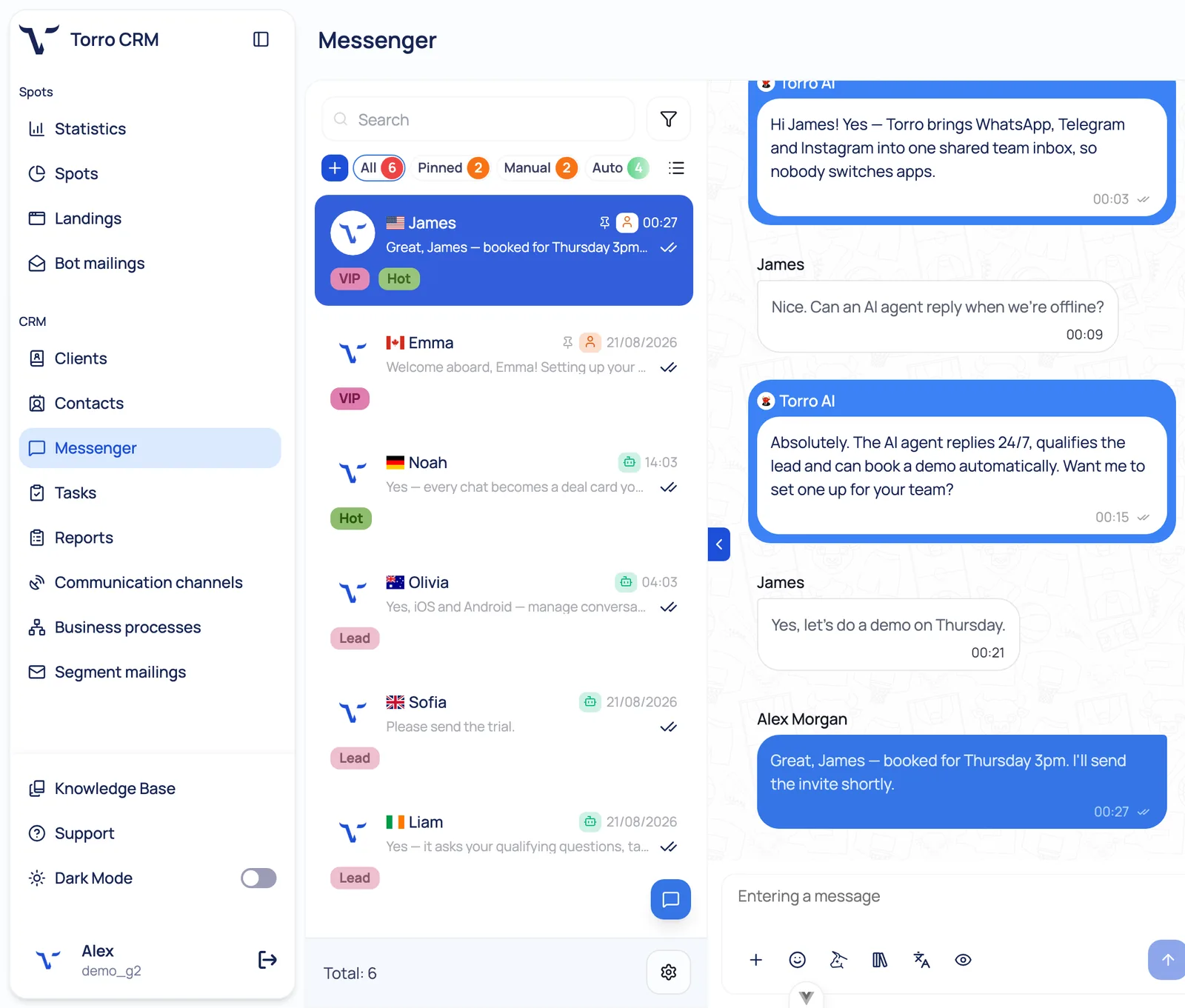
Every chat can become a card on a visual pipeline. A built-in AI sales agent covers the hours your team doesn't: it answers product questions, qualifies leads against criteria you set, books demos, and hands the conversation to a human when it should. Around that sit a no-code automation builder, contacts, tasks, broadcasts, analytics on conversion and response time, real-time translation, a knowledge base, and iOS and Android apps.
Pricing is straightforward. CRM + Agent costs $49 per month and includes 2,000 leads per month, then $0.03 per lead without the AI agent and $0.05 per lead with it. The Business plan is custom-priced with unlimited leads. Billed monthly in USD.
See how Torro CRM handles Telegram.
Sources
Telegram Bot API — core.telegram.org/bots/api
Telegram bot FAQ, message limits — core.telegram.org/bots/faq
Introducing Telegram Business — telegram.org/blog/telegram-business
Connected business bots — core.telegram.org/api/bots/connected-business-bots
FAQ
Can a CRM send the first message to a Telegram user?
No. Telegram does not share user phone numbers or IDs with businesses, so your CRM only gets a chat ID after the person messages your bot or your connected account. Cold outreach is not possible; re-engaging people who already wrote to you is.
Is there a 24-hour messaging window on Telegram, like on WhatsApp?
No. Telegram has no customer service window and no paid message templates. Once a conversation exists you can follow up whenever you like, subject to rate limits and to not being reported as spam.
How many messages can a Telegram bot send?
Telegram's guidance is roughly one message per second in a single chat, 20 per minute in a group, and about 30 per second for bulk notifications unless paid broadcasts are enabled. Exceeding those returns 429 errors.
Can I use my personal Telegram account with a CRM?
Sometimes. Telegram Business lets you connect one bot to a personal account so software can handle those chats, and support for this mode varies by CRM. Third-party services that log into your account over MTProto are a different thing and carry a real risk of the account being limited.
Do Salesforce or HubSpot integrate with Telegram natively?
Not natively — they rely on third-party connectors or middleware. If Telegram is a primary channel rather than an occasional one, a messenger-first CRM usually fits better than bolting a channel onto a CRM designed around email.
How long does Telegram CRM integration take to set up?
With the Bot API, creating the bot and pasting the token takes a few minutes. Budget the rest of an hour for routing rules, greeting and away messages, pipeline stages, and a proper end-to-end test.